
PRIVATE TABLES · YOUR OWN PEOPLE
Get your people
around the felt.
A poker night should feel like a place to meet. Bring your group into PokerGala, choose a table and keep the conversation going between hands.
Browser beta · Check the current room requirements before joining
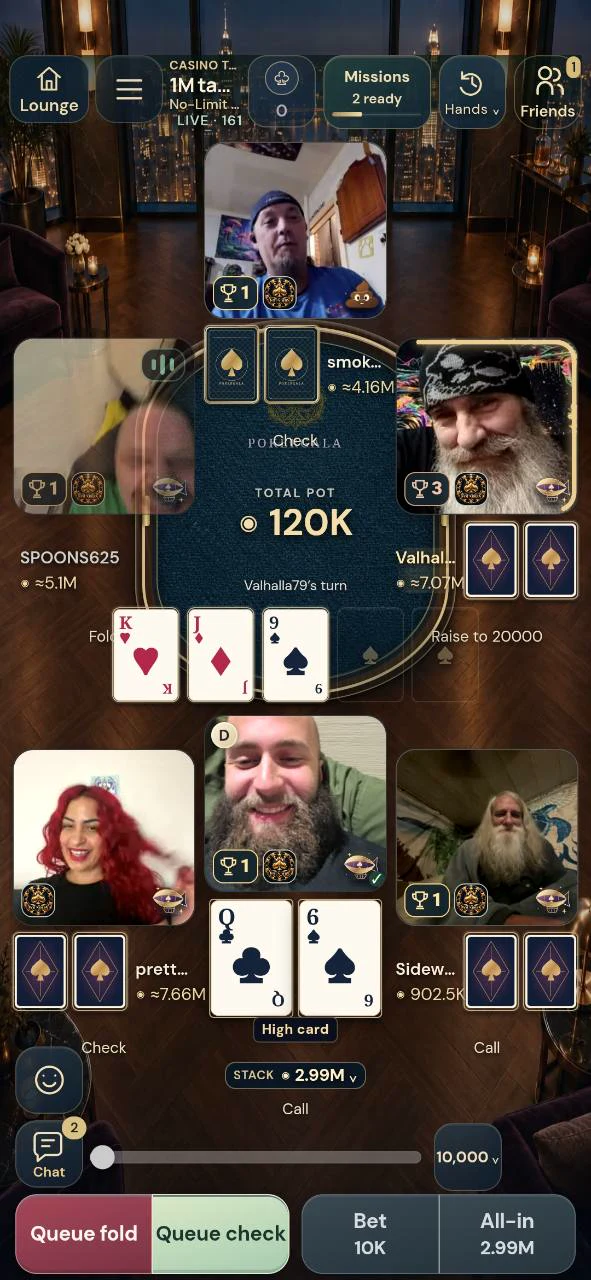
Plan your first private night
- Get everyone signed in
Each friend needs their own PokerGala account. Android players can use the APK or browser; iPhone players use Safari.
- Connect and invite
Use Friends to connect with your group, then create or choose an eligible private table and share the available invitation route.
- Review the table together
Check the game, stakes, seat availability and camera previews. An invitation is a route to review a table, not a guarantee that a seat remains available.
Choose Hold’em or Omaha in the Lounge. Available rooms and entry requirements are shown before joining. If your group wants Spades or Blackjack instead, check those games’ friends’ beta room access and explain the rules to new players before starting.
Make it a night you can come back to
Friends and Messages keep the group connected when you are away from the table. Poker nights and league scheduling help arrange another session. A league gives a regular group its own membership, chat, shared activities and records, with projects available under the current beta rules.
The game has six-seat and eight-seat poker layouts, but a particular table’s capacity and eligibility are authoritative. Don’t promise a larger group an eight-seat room until you have checked the actual available table. Use the feature guide to explore the rest of the Gala without losing sight of the next game.
Start with clear expectations
Use virtual chips and choose stakes the group understands. PokerGala currently has no cash prizes, redemption or active payments. Installing the app or inviting a friend does not create a cash game or let you transfer another app’s balance.
If someone briefly loses connection, let them use the game’s current reconnect state. Avoid sending a second wager just because an acknowledgment was slow. If a room becomes unavailable, review the explanation and choose another eligible destination; invitations do not bypass access checks.
Before you take a seat
Can Android and iPhone friends play together?
Players use the same PokerGala service through their own supported client. Android has an app; iPhone uses Safari. Check current game and table eligibility for each account.
Does an invitation automatically buy a seat?
No. Review the destination, table requirements and availability in the game. An invite does not guarantee an open seat or bypass the normal join flow.
Can we bring eight people?
PokerGala has eight-seat poker layouts. Check that an eligible eight-seat room is available for your group; not every table has the same capacity.
Do private games use real money?
No. The current beta uses virtual chips and has no cash prizes, redemption or active purchases.
Where do we find each other next time?
Use Friends, Messages and your available Poker nights or league scheduling tools. Everyone should keep their own account rather than sharing a login.
Find your next step
Written from PokerGala’s current source, release evidence and owned gameplay captures. Reviewed November 5, 2026. See what shipped; planned systems are not guaranteed release dates.
GOOD CARDS. GREAT COMPANY.
Your next night
starts here.
No native iPhone app yet. iPhone uses Safari. Payments remain disabled.